.png)

Overview
The process to become a substitute teacher in New York is really simple! This guide will help you understand the steps, and when you are ready, you can download the Senya app (android and apple devices), create an account, and complete everything through our fast, simple onboarding process.
With Senya, you have the ability to work with many schools and districts in your area, and with our unique bonus program, you can get paid higher than the base rate that schools pay!
New York Requirements for Substitute Teachers
- 18 years of age
- High school diploma or equivalent
- Fingerprint background check
- TEACH account
You cannot work as a substitute teacher if you do not pass the background check or if you have had a professional license revoked, suspended, or voluntarily surrendered.
What is on the Senya platform?
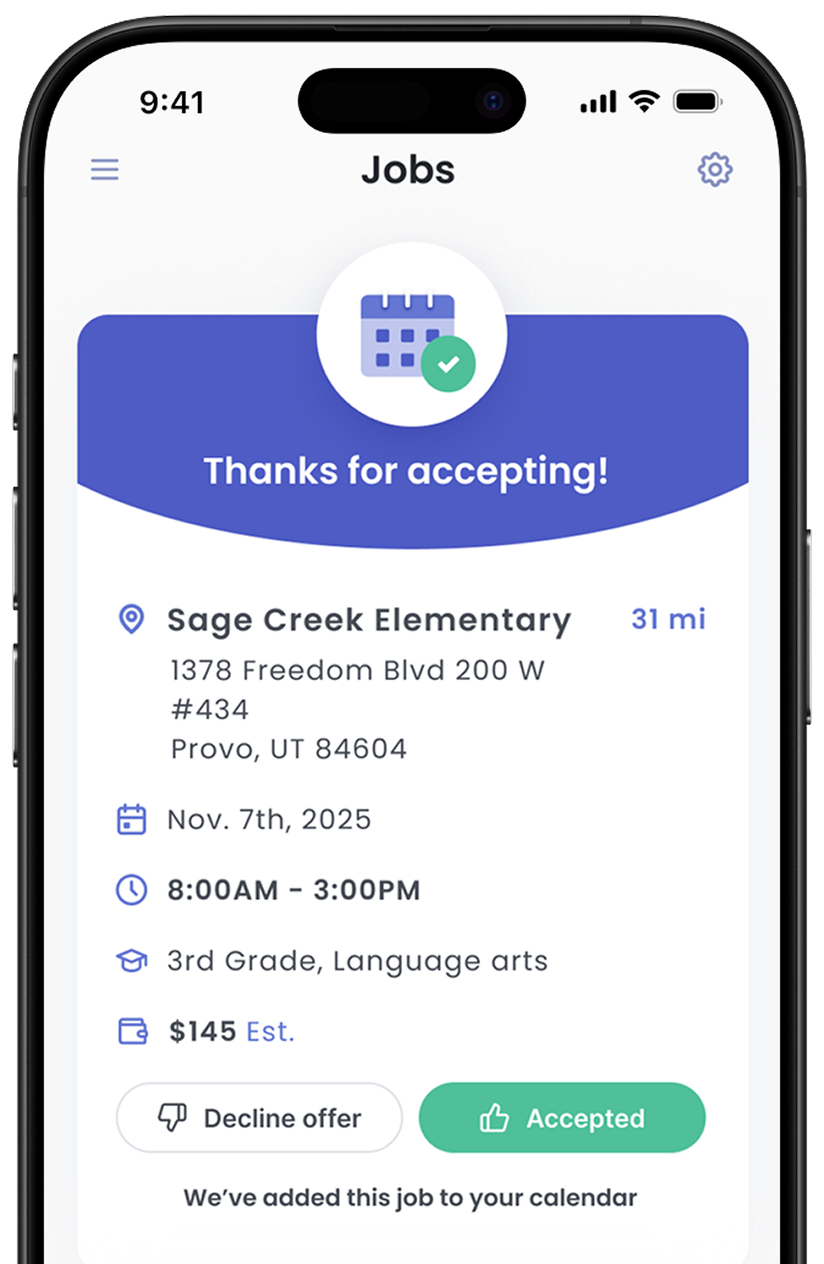
Senya is an app for substitute teachers! The Senya app makes it easy and convenient for you to manage all aspects of substitute teaching:
- step-by-step guidance through onboarding and fingerprinting
- settings and preferences to see the jobs you are most interested in taking
- directions and contacts for schools
- calendars to set your schedule
- reminders for upcoming jobs
- resources to build up your substitute teaching skills
- daily earnings tracker and weekly pay
- direct chat support with Senya Customer Service
Substitute Teaching on the Senya Platform
Step 1: Sign Up on Senya
To sign up, simply download the app onto your mobile device, tablet, or computer. The app is available in both the Apple App Store and Google Play.
Step 2: Complete the Onboarding Process
The onboarding process is very easy, and you can complete most items within minutes! Plan on spending a little more time on the fingerprinting item, but even that process is made simple through the Senya app (details below).
Continue reading to learn about the things that you will complete during the onboarding process. This is a lot of information, but don’t worry––once you sign up and begin, you will see for yourself how quickly it can be completed. One of Senya’s most common compliments is how easy the onboarding process is!
Profile Information
Once you enter the app, you will begin the onboarding process by adding basic profile information, such as your full name, home address, email, and phone number. You will also upload a profile picture; make sure that you choose a clear picture that represents yourself well, as schools will be able to see this when you accept jobs.
Work Authorization
As part of the onboarding, you will also need to indicate if you are authorized to work in the U.S. and upload a driver’s license, passport, or other state-issued photo ID. Make sure that you submit a photo that is clear and readable.
Fingerprinting
In New York, you must be fingerprinted to undergo a criminal background check by the New York State Education Department (NYSED).
What if I have already been fingerprinted in New York before?
Senya can only accept prior fingerprinting if it was done using a code from the New York State Education Department (14ZGQT for teachers or 14ZGR7 for other education staff). If you have a current education license, your fingerprints are still valid. If you do not have a current education license or were not fingerprinted using a NYSED code, then you will need to be refingerprinted.
I need to be fingerprinted for education.
The New York State Education Department (NYSED) is partnered with the fingerprinting company IdentoGo. Our onboarding process will guide you through the process to set a fingerprinting appointment, but you can also click here for a full step by step guide with screenshots.
At your appointment, your fingerprints will be taken electronically. Be prepared to pay the cost of fingerprinting, which is a total of $101.75 (state fee, FBI fee, and IdentoGo charge).
In New York, the fingerprint background check may be completed in as few as 24 hours if there is no criminal history. The sooner you are able to get fingerprinted, the sooner you can be cleared to get subbing!
Set Up a TEACH Account
Once you have been fingerprinted, you need to set up a TEACH account with the state of New York. This allows the NY State Education Department to attach your fingerprint background clearance with your record in their system.
Click here for a full step by step guide with screenshots for setting up a TEACH account.
Readiness Center
While Senya waits to receive your fingerprint background check results, you can explore the Readiness Center for information and videos to help you succeed on the Senya platform.
Items in the Readiness Center are marked as Required, Tier Eligibility, or Optional. Required items are indicated with a red tag. These include materials required by state law as well as your 1099 contract to work through the Senya platform.
Items required for Tier Eligibility are marked with a yellow tag and must be completed to participate in the bonus program. These include policies and preparation videos, which will help you be successful as a substitute. Although there are a lot of policies, almost all of them take less than a minute each to review. The five preparation videos are approximately 5 minutes each.
Optional items are marked with a blue tag and do not affect your ability to view jobs or participate in the bonus program. However, they have useful information and are very quick to complete. You are encouraged to view all items in the Readiness Center.
Payroll Information
As part of the onboarding process, you will complete tax information and enter bank information to set up payments. Senya makes it convenient for you to receive payments from schools through the payroll company Everee. If you ever have questions or issues, contact Senya for support.
Your first payment will come on the Friday 1 week after your first job, with weekly payments after that each Friday for jobs worked the week prior.
Online Introduction Meeting
The final part of onboarding is a brief video introduction meeting with a member of the Senya team. You will be prompted to set an appointment date and time. The call will take place over GoogleMeet; you should receive an email with the link once you have made the appointment; be sure to check your spam/junk folder if you do not see the email arrive in your inbox. GoogleMeet can be downloaded for free on your mobile device, tablet, or computer. If you need technical assistance, you can contact Senya or review online troubleshooting pages from Google.
During the online meeting, the Senya team member will chat with you about your goals for using the platform and answer any questions that you have. Video introduction meetings typically last for 15 minutes.
Step 3: Begin Substitute Teaching!
Once you have completed the onboarding items, and if you have been approved, you will be eligible to receive substitute teaching opportunities!
You will receive app notifications for opportunities based on you preferences (availability, distance from your home, schools, grade levels, and subjects). Be sure to update your preferences and make sure your device enables/allows notifications from the Senya app. You may also browse opportunities at any time that have not been picked up by other substitutes yet.